← Back to Changelog

AI Assistant

June 17, 2026 · AI AI Assistant Merchants can now ask questions in plain language right inside the dashboard. No more digging through menus or waiting on support for the basics. Open the AI Assistant from the top-right help menu (or press ⌘ J / Ctrl J) and ask things like:
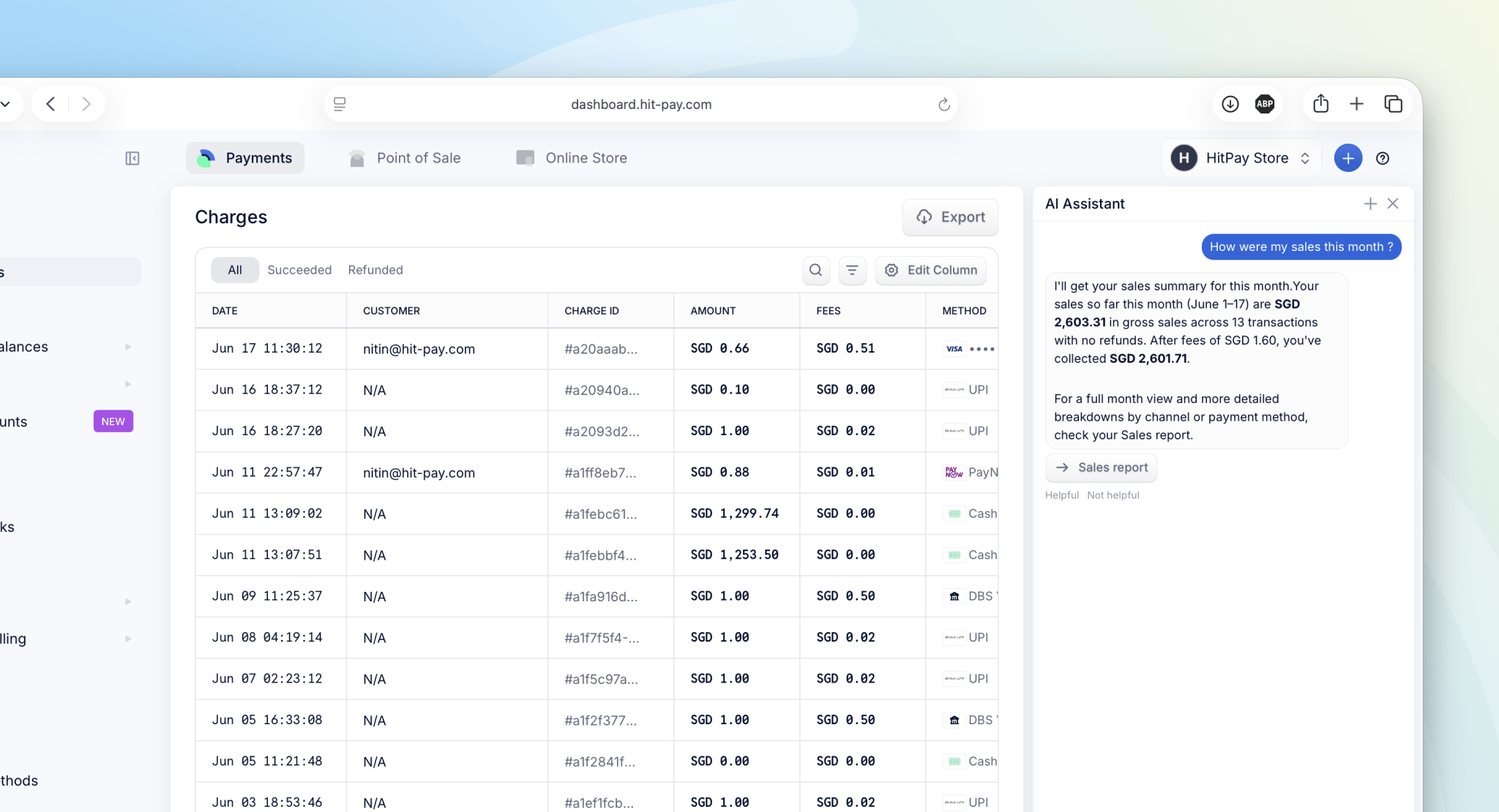
  • “How much did I make last week?” — pulls real sales, transactions, payouts, and balances
  • “Is WeChat Pay active?” / “Why was my card payment declined?” — checks live payment-method status
  • “What’s my verification status?” — shows where your KYB application stands
  • “How do I set up a payment link?” — explains the feature and takes you straight to the right page

Built for safety

The assistant is read-only and account-scoped. It can look things up and guide you around the dashboard, but it can’t change settings or see another business’s data. When something needs a human, it routes you to support. This release lays the foundation. We’ll be expanding the assistant’s capabilities over time based on how merchants actually use it.

Availability

The AI Assistant is only available to the owner or an admin of the business.
Last modified on June 17, 2026