

Fee Breakdown
February 10, 2026 Improvement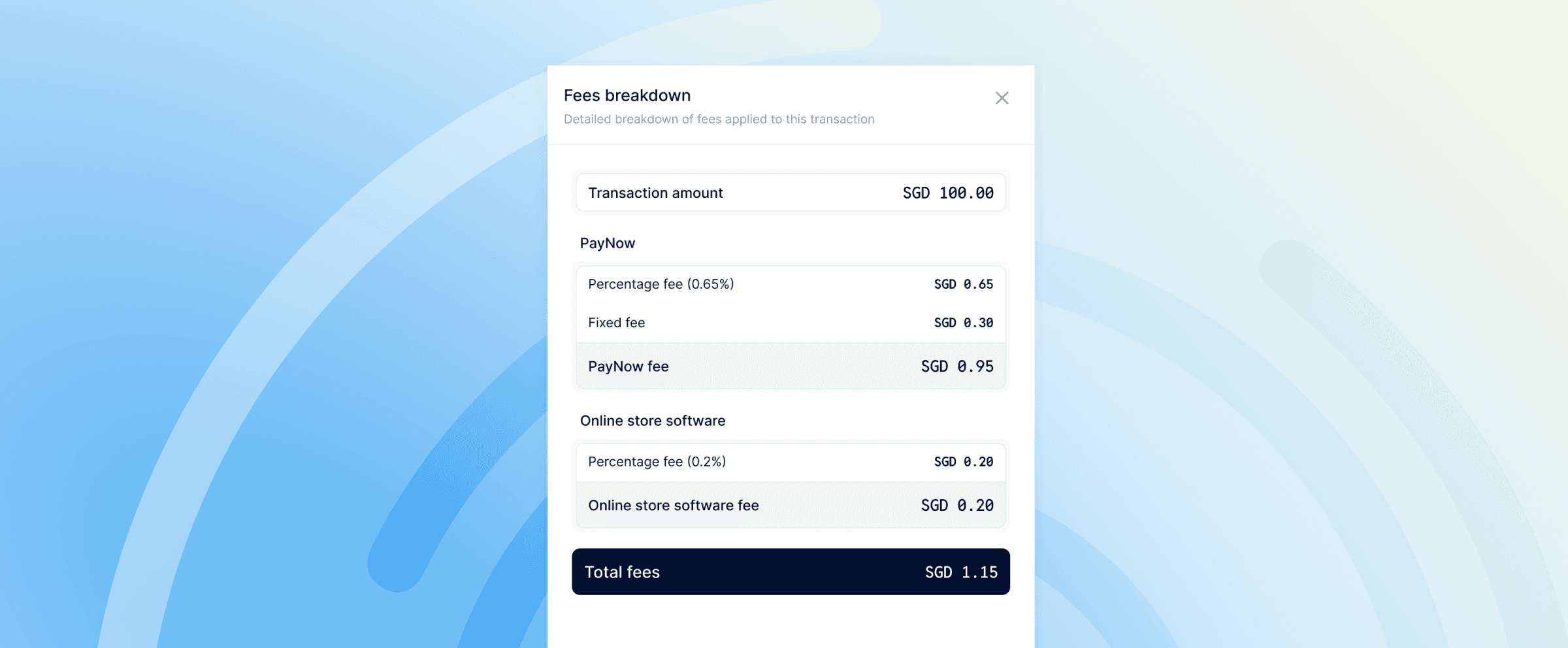 You can now view a detailed breakdown of all fees applied to a transaction. Instead of seeing a single fee amount, click “Fees breakdown” on any charge to see every fee applied listed separately.
What’s included
- Payment method fees — The fixed fee and percentage fee for your payment method (e.g. PayNow, cards, wallets) listed separately
- Plugin fees — If you’re using an integration like Shopify or invoicing tools, those fees are shown as their own line item
- Currency conversion fees — For cross-currency transactions, FX fees are broken out so you know exactly what the conversion costs
- Total fees — A clear total at the bottom so nothing is a surprise