

Custom Checkout Fields
October 2, 2026 · Payment Links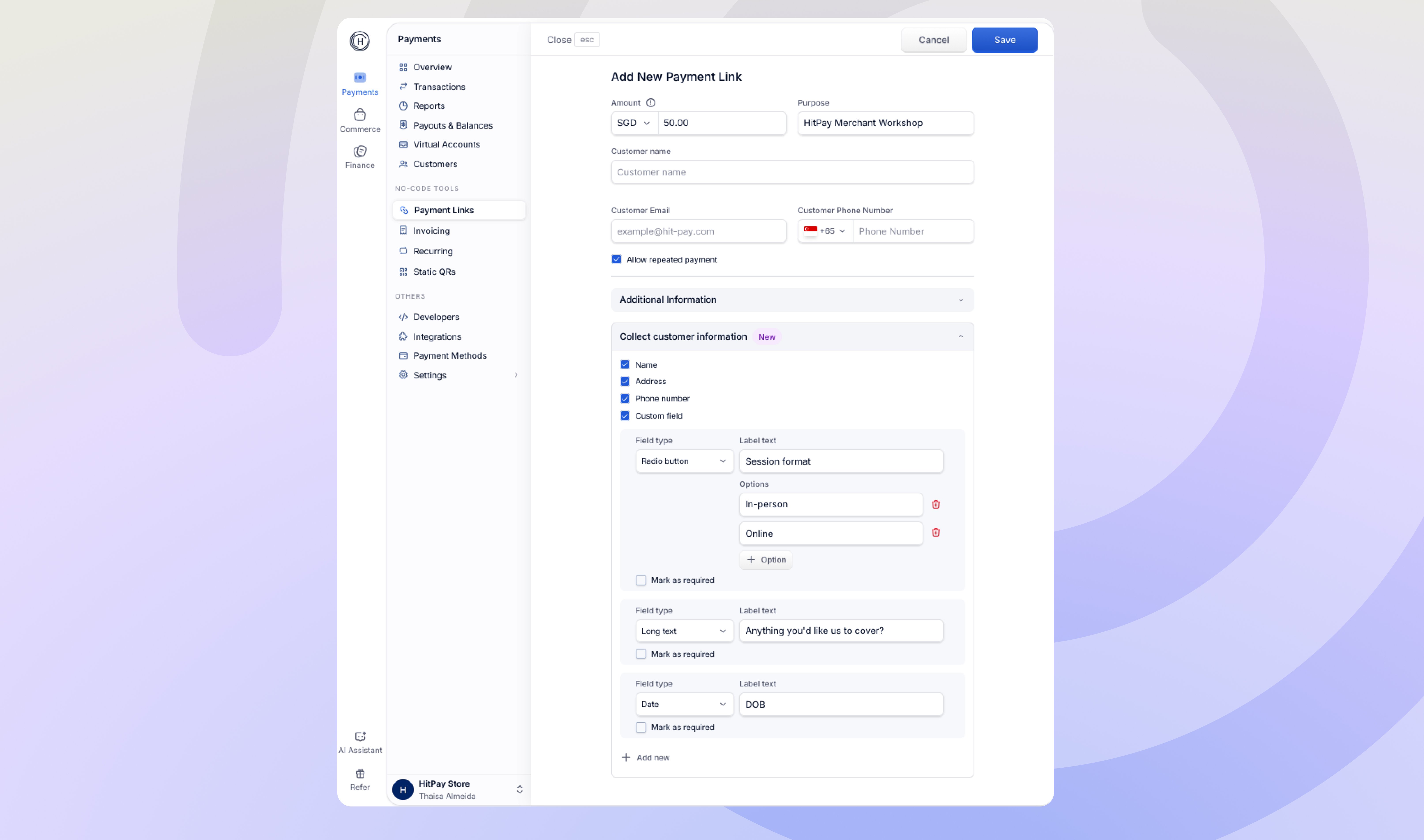
What this means for you
- Collect what you need: Add up to 10 custom fields per link, such as t-shirt size, delivery notes, membership number, dietary preferences, or a Terms & Conditions acceptance checkbox.
- Flexible field types: Text, long text, dropdown, checkbox, radio button, and date.
- Standard fields: Toggle customer name, address, and phone number on or off for each link.
- No manual reconciliation: Answers appear on the charge details page, with a dedicated responses view and CSV export for each Payment Link.
- Set once, reuse: Set default fields in Payment Links Settings so every new Payment Link starts with them. You can still customise the fields for individual links.