

Admin Fees for Point of Sale
October 21, 2026 · In-Person Payments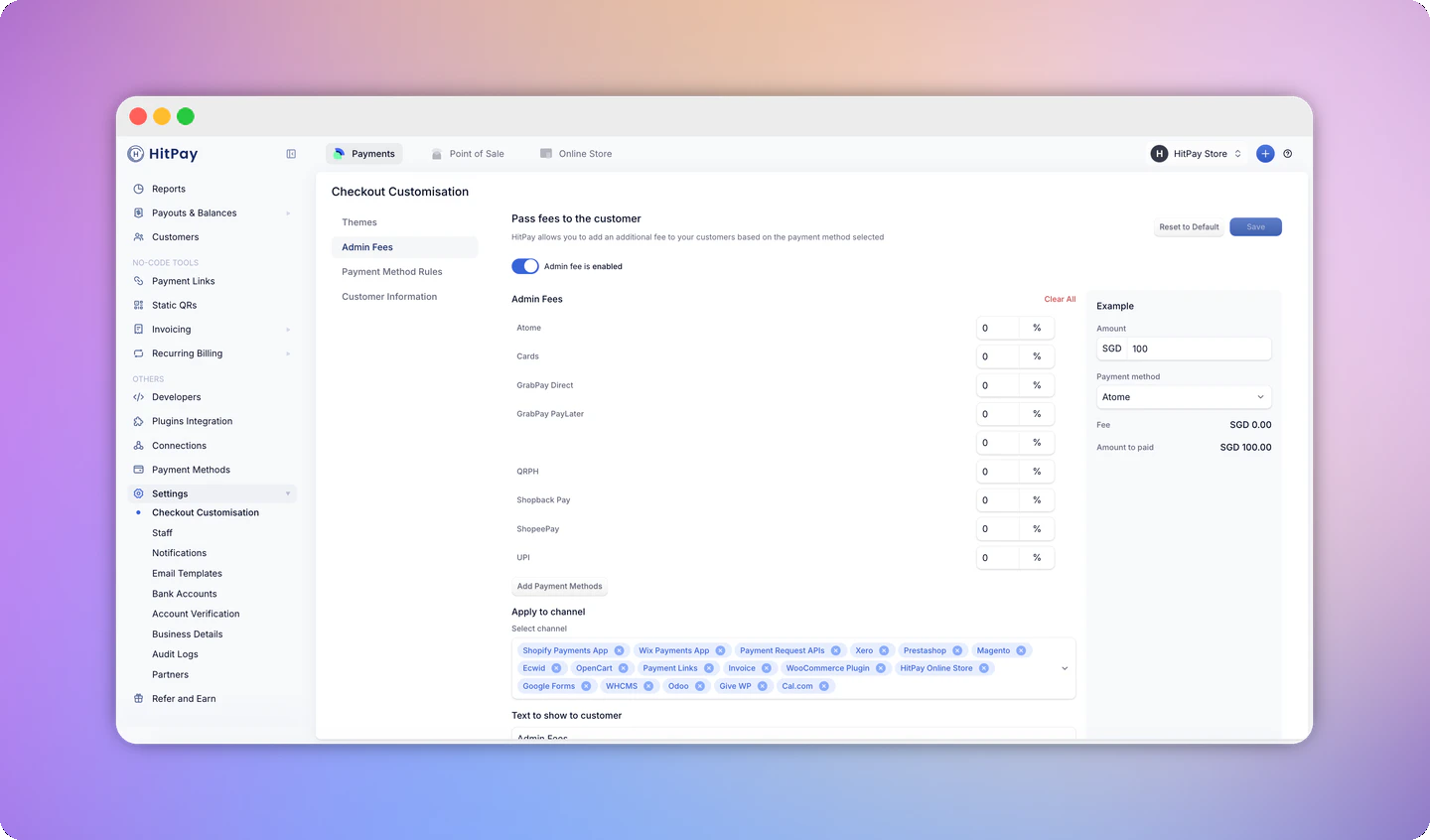
How it works
- Set a fee percentage for each payment method you want to pass fees on for
- Choose Point of Sale as a sales channel, alongside channels such as Payment Links, Invoices, and the Online Store
- The fee is added to the final amount the customer pays
- HitPay transaction fees are calculated on the final amount, after the admin fee is added
Set it up
- Go to Settings > Checkout Customization.
- Open the Pass-the-Fees settings.
- Select the payment methods and enter the fee percentage.
- Select Point of Sale as a sales channel.
- Enter the text you want customers to see, then click Save.
Restrictions
- Admin fees can’t be applied to PayNow payments, in line with the Association of Banks in Singapore (ABS) guidelines.
- Admin fees aren’t available for businesses in the Philippines.