

Overview
APM Tokenisation lets your customer link a digital wallet (e.g., ShopeePay or GrabPay) once and reuse it securely for future payments. Use this flow when you want to:- Let customers link their wallet once and skip re-entering payment details for future orders.
- Offer one-click repeat checkouts for returning buyers.
- Support recurring or subscription-based payments, enabling automatic billing at fixed intervals.
- Support on-demand or usage-based payments, where the final amount is confirmed only after the service is delivered.
Create APM Tokenisation session
Generate a secure session and checkout link for the customer to connect their wallet.
Customer links wallet
Redirect the customer to the HitPay-hosted page where they authorise wallet linking.
Charge the linked wallet
Use the stored token to charge the linked wallet anytime in the future.
Step 1 - Create Tokenisation Session
HTTP Request
Query Parameters
Mandatory fields are
customer_name and customer_email. Remember to
include the header Content-Type: application/x-www-form-urlencoded.Response
Step 2 - Redirect customer to checkout page (One time set up)
Redirect the customer to the “url” value.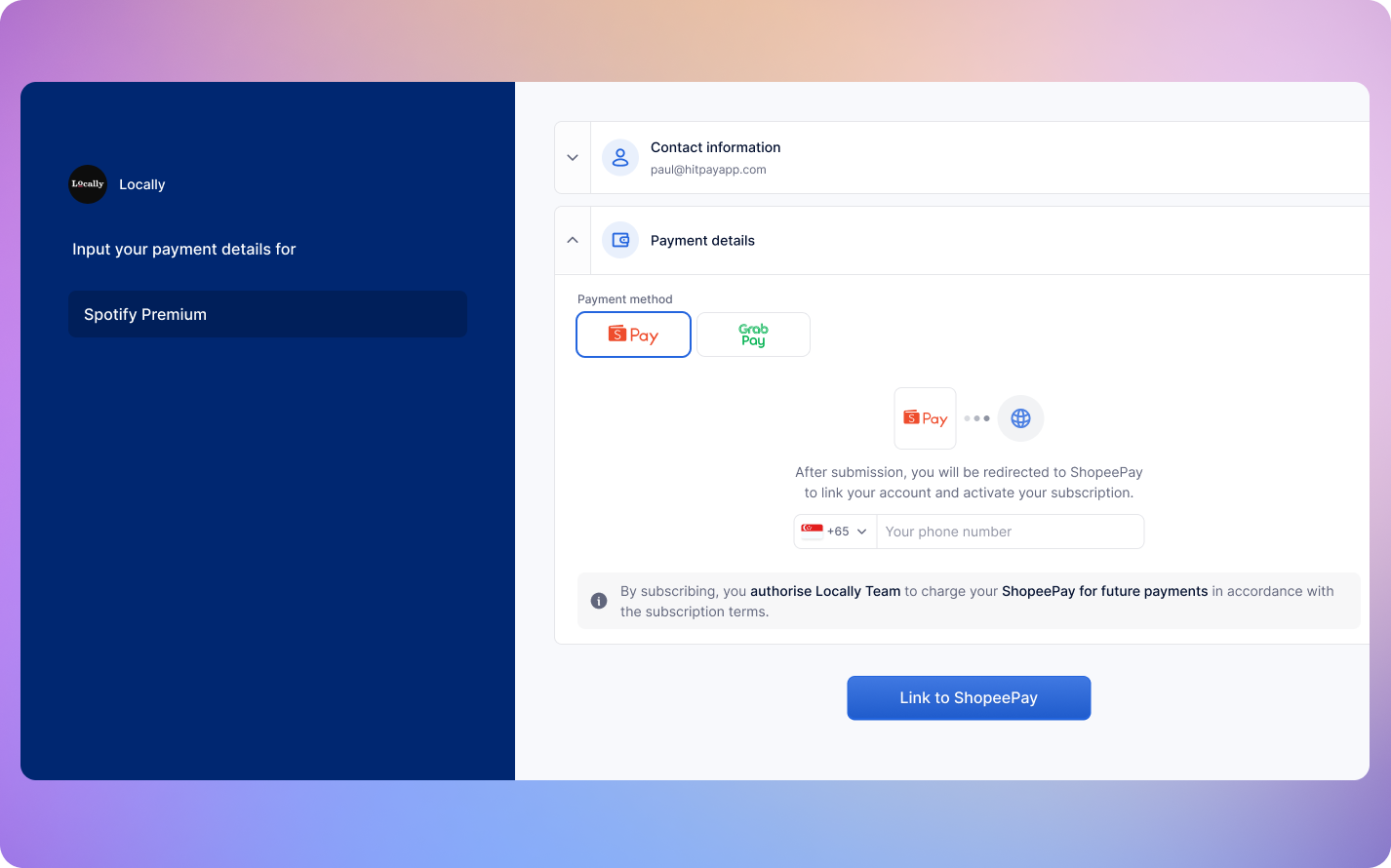
Step 3 - Charge Linked Wallet
Once the wallet is linked, you can charge it anytime using the endpoint belowHTTP Request
Query Parameters
FAQs
Is there an initial charge during wallet linking?
Is there an initial charge during wallet linking?
No, customers will not be charged during the linking process. The tokenisation flow is used purely to authorise future payments securely.
What if the customer’s wallet has insufficient balance?
What if the customer’s wallet has insufficient balance?
If the wallet does not have enough funds at the time of charge, the payment will fail, and HitPay will send an
charge.failed webhook event. You can prompt the customer to top up and retry the charge.Can I modify the amount I will charge my customer later on?
Can I modify the amount I will charge my customer later on?
Yes, once your customer has attached the wallet, you can charge any amount using the Charge Linked Wallet API
Product Checklist
Product Checklist
Ensure the following before moving to production - Change the base URL
for all API calls to https://api.hit-pay.com/v1/ - Update API keys and
Salt values from the production dashboard