

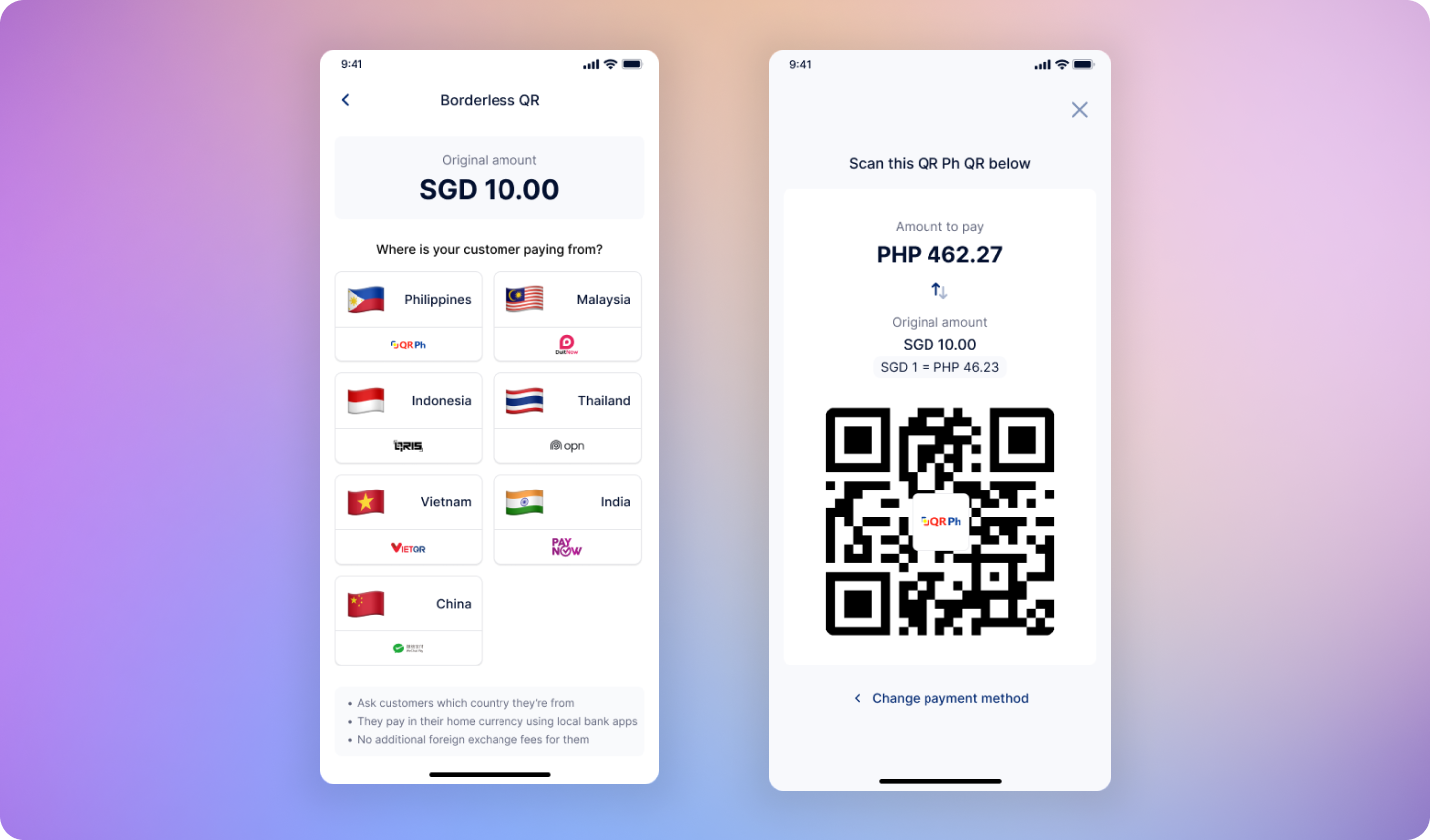
Charge in your home currency. Let customers pay in theirs.
HitPay Borderless QR lets physical stores accept local payment methods from international customers, while you always receive payouts in your home currency with automatic currency conversion.Get HitPay Borderless QR
Start accepting cross-border payments today
See how it works
Learn the simple payment flow
API Integration
Integrate Borderless QR via API
Cross-Border Payment Challenges
Physical stores often face limitations when serving international customers:- Most POS systems only support domestic payment methods
- International credit cards incur high processing fees (3% - 3.5%)
- Customers paying with foreign cards face additional FX fees (2% - 4%)
- Manual currency conversion is error-prone and slows down checkout
What HitPay Borderless QR Does
HitPay Borderless QR allows merchants to accept local payment methods from international customers while receiving payouts in their home currency. Key capabilities:- Accept regional QR payment methods (PayNow, QR Ph, UPI, QRIS, PromptPay, WeChat, VietQR)
- Automatic real-time currency conversion
- Customers pay in their local currency using familiar payment apps
- Merchants receive payouts in their home currency
How It Works
1
Enter price in your home currency
Merchant enters the price in their home currency as usual
2
Select customer's payment method
Merchant selects the customer’s country and preferred payment method
3
Automatic currency conversion
HitPay automatically converts the amount using real-time exchange rates
4
Customer pays, merchant gets paid
Customer pays in their local currency. Merchant receives payout in their home currency.
How to Set Up
1
Create a HitPay account
Sign up for HitPay if you haven’t already.
2
Verify your account
Complete the account verification process to enable payouts.
3
Enable cross-border payment methods
Go to Payment Methods in your HitPay dashboard and enable one or more cross-border payment methods (e.g., QR Ph, UPI, QRIS, PromptPay).
5
Start accepting cross-border payments
Enabled cross-border payment methods will automatically appear in your HitPay POS app.
Example: A Real-World Cross-Border Payment
Scenario: A Singapore merchant charges SGD 100 to a Philippine tourist.
- Merchant enters SGD 100 in the HitPay POS app
- Customer selects QR Ph as their payment method
- HitPay displays the amount in PHP using real-time exchange rates
- Customer scans and pays using their Philippine e-wallet
- Merchant receives payout in SGD
Save on Every Transaction
HitPay Borderless QR offers significant savings compared to international card payments for both merchants and customers.Everyone wins. Customers avoid hidden FX fees while merchants cut processing costs in half.
Supported Countries & Payment Methods
Frequently Asked Questions
How is the exchange rate determined?
How is the exchange rate determined?
The exchange rate used for cross-border payments is based on the mid-market exchange rate at the time the transaction is processed.The mid-market exchange rate is the average of the buy and sell rates between two currencies and is commonly used as a benchmark in the foreign exchange market.
What are the fees borne by the customer?
What are the fees borne by the customer?
Customers are not charged any additional fees for cross-border payments.Unlike card payments, there are no foreign exchange (FX) fees passed on to customers.
What are the fees borne by the merchant?
What are the fees borne by the merchant?
Merchants will be charged a 1.5% payment processing fee for any in-person cross-border QR payment method, plus FX fees (if applicable) based on the merchant’s country of registration / settlement currency.
What is the payout period?
What is the payout period?
For cross-border payments processed via supported regional payment methods, payouts are credited to your HitPay Balance on a T+1 calendar day basis.
Do I need additional hardware?
Do I need additional hardware?
No. HitPay Borderless QR works with your existing HitPay POS app. No additional hardware or complex setup required.
Can I use HitPay Borderless QR alongside my existing payment methods?
Can I use HitPay Borderless QR alongside my existing payment methods?
Yes. HitPay Borderless QR is an additional payment option that works alongside all your existing local payment methods.
How do refunds work for cross-border payments?
How do refunds work for cross-border payments?
When processing a refund, the customer receives the exact amount they originally paid in their local currency. The exchange rate from the original transaction is used—there is no recalculation based on current rates.