

What are Agent Skills?
Agent Skills are pre-packaged instructions that teach AI coding assistants how to integrate HitPay. Instead of reading through documentation, your AI assistant already knows:- How to create payment requests
- When to use redirect vs. embedded QR checkout
- How to handle webhooks securely
- How to process refunds
Installation
Install the HitPay skill in your project: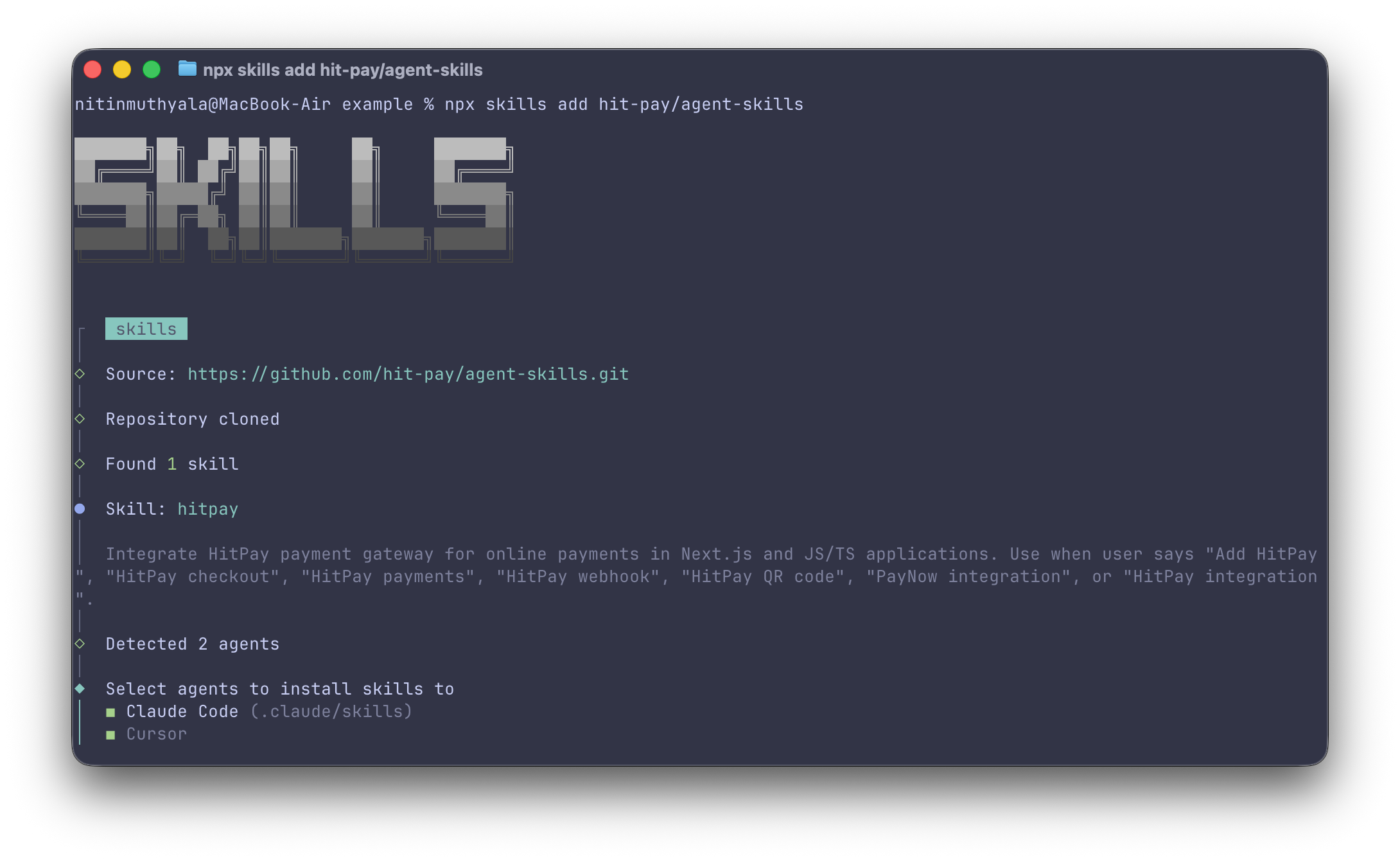
- Claude Code (Anthropic)
- Cursor
- GitHub Copilot
- Windsurf
- Other AI coding assistants that support the Agent Skills format
Usage
Once installed, just describe what you want in natural language.Examples
The AI assistant generates the code following the patterns in the skill (auth headers, webhook signature verification, error handling).
What’s Included
The skill covers:How It Works
1
Install the skill
Run
npx skills add hit-pay/agent-skills in your project2
Describe your task
Tell your AI assistant what you want to build
3
Review generated code
The AI creates implementation following HitPay best practices
4
Customize as needed
Modify the generated code for your specific requirements
Prerequisites
Before using the skill, ensure you have:- HitPay Account - Create an account or use the sandbox environment
- API Key - Found in Settings → Payment Gateway → API Keys
- Webhook Salt - Found in Settings → Developers → Webhook Endpoints
Environment Variables
The generated code expects these environment variables:Resources
GitHub Repository
View source and contribute
Create Payment Request
API Reference
Webhook Events
Handle payment notifications
Sandbox Guide
Test your integration
Claude Code Plugin
Live API access from inside Claude Code
HitPay MCP Server
Query your business data from an AI assistant