

Overview
A Virtual Account is a dedicated receiving account, issued in a business’s registered name, for inbound business payments - invoices, receivables, and B2B transfers. It is separate from customer-facing checkout (payment links, POS, online store) but settles into the same HitPay Wallet, so business receivables and customer payments appear in one transaction ledger. Virtual Accounts are available to businesses registered in Singapore or the Philippines. Which currencies and transfer networks you get depend on where your business is registered.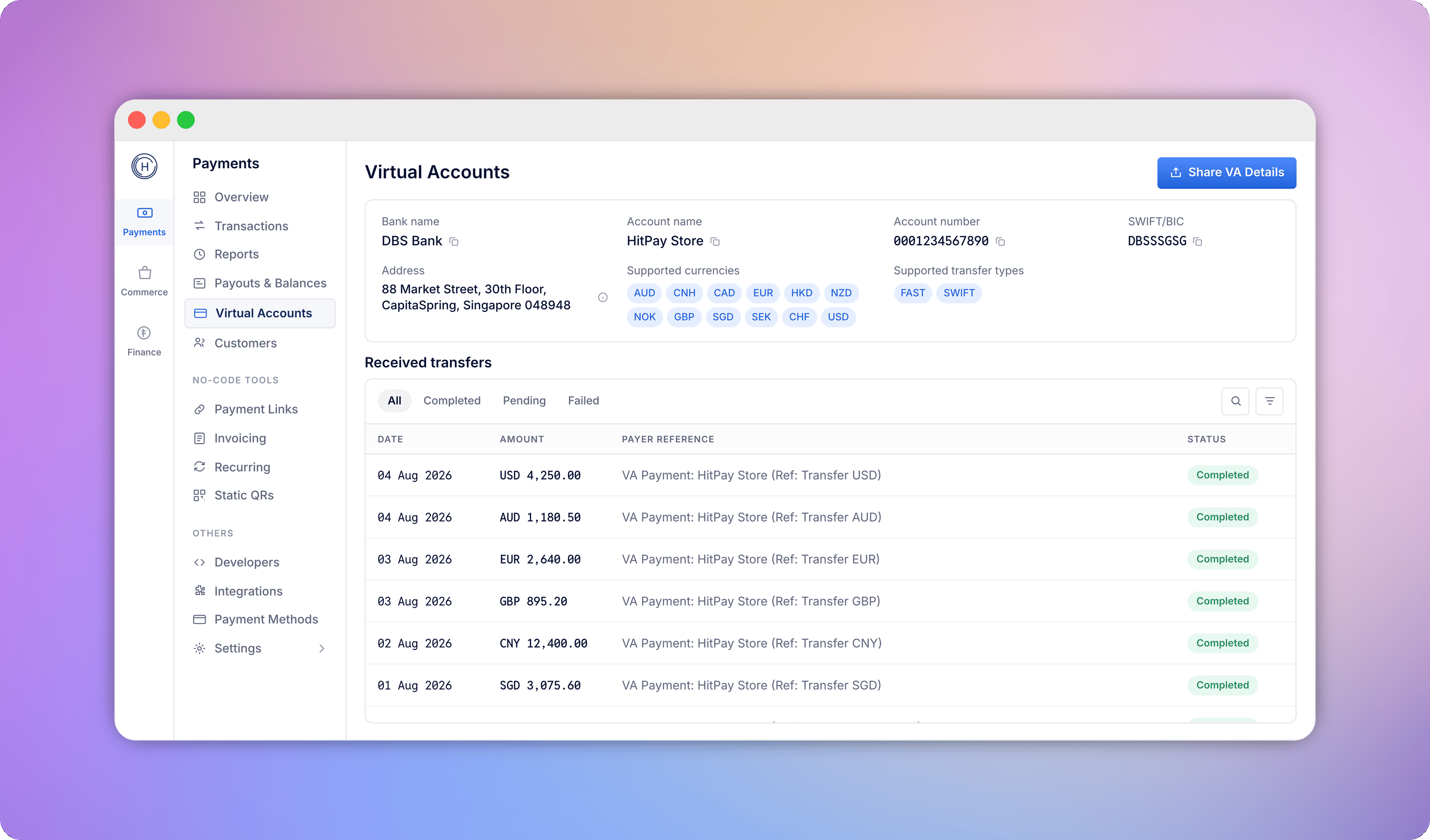
How funds flow
A Virtual Account is a collection method, not a bank account. Funds never sit in it - every transfer moves straight through to your HitPay Wallet and out to your bank, the same way your customer payments do.Payer sends a transfer
Funds land in your HitPay Wallet
Paid out to your bank
Country and currency availability
The currencies you can receive, and the bank location of each Virtual Account, depend on where your business is registered.- Singapore
- Philippines
How to activate
Activating a Virtual Account does not require a separate sign-up or another business verification check - it uses the same HitPay account you already have.Create your free HitPay Account
Create your Virtual Account
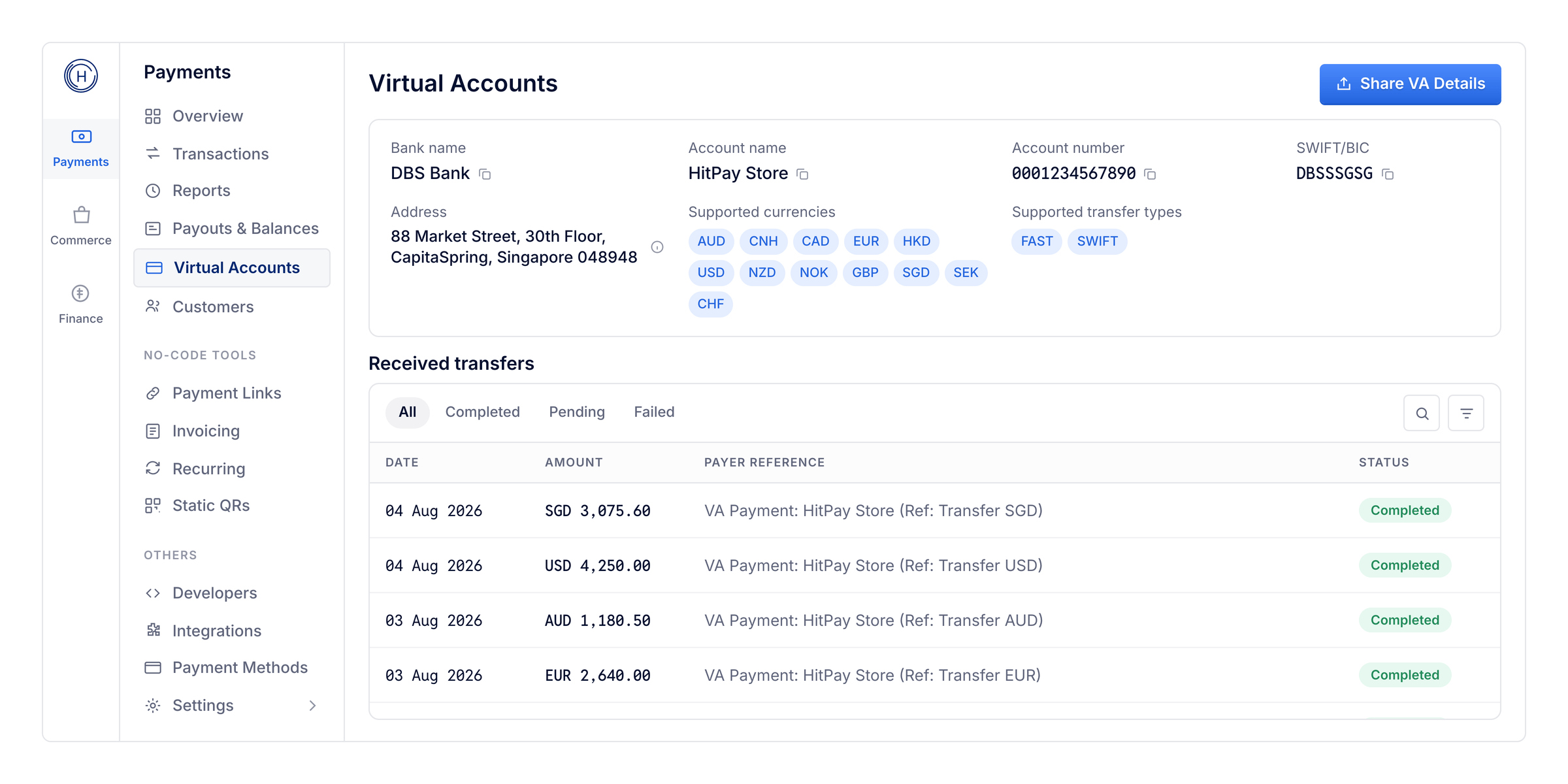
Account issued
What it’s for
- Business collections and receivables - amounts owed by customers or clients, collected into the same account as other receivables.
- Invoice receivables - let clients pay an invoice by bank transfer, straight into your Virtual Account. See Accepting invoice payments below.
- B2B collections - payments from partners, distributors, or marketplaces.
Accepting invoice payments
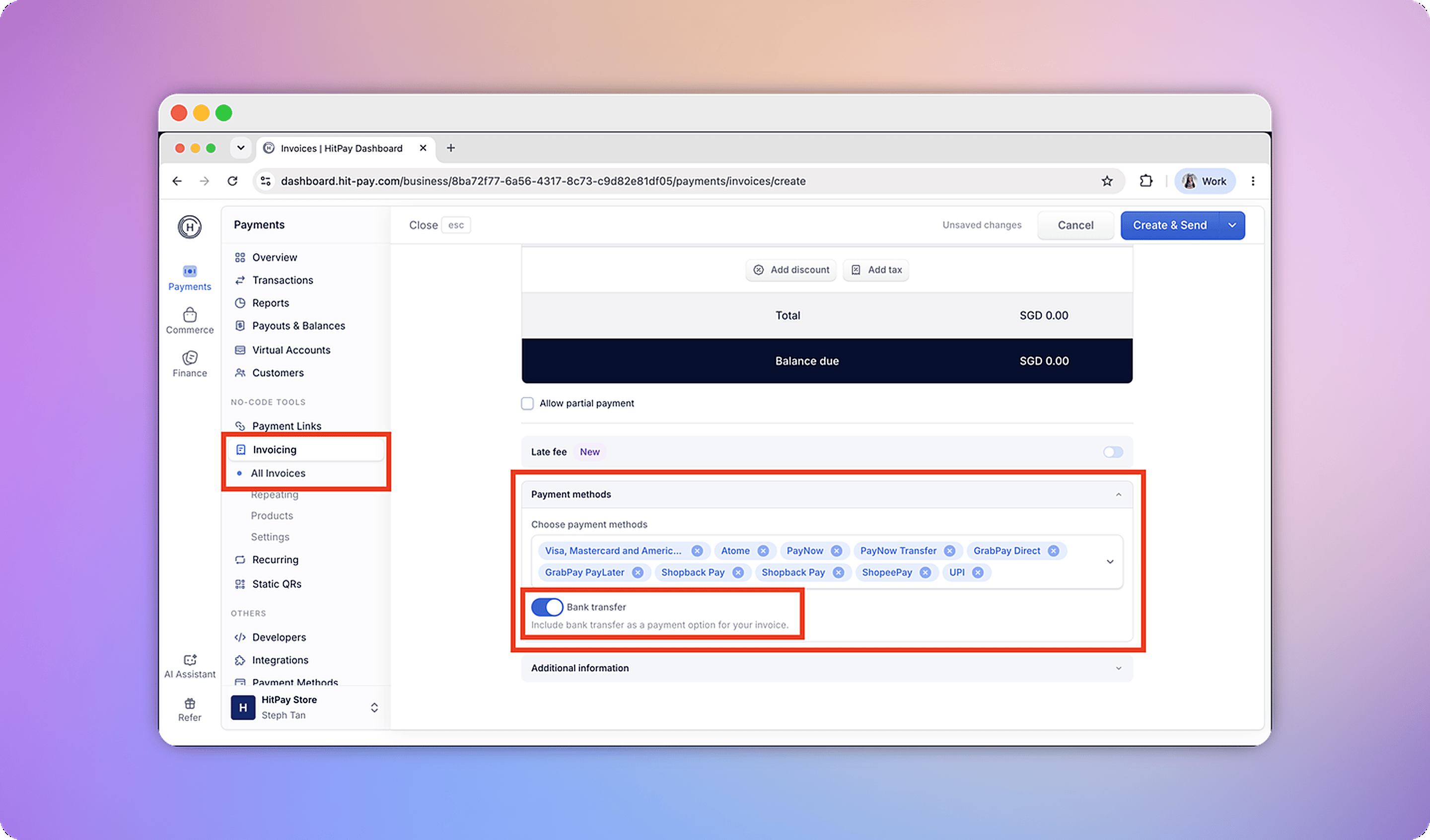
Add Bank transfer as a payment option on your invoices, so clients can pay by transferring money from their own bank instead of paying online.Turn on Bank transfer as a payment method
Your client pays by bank transfer
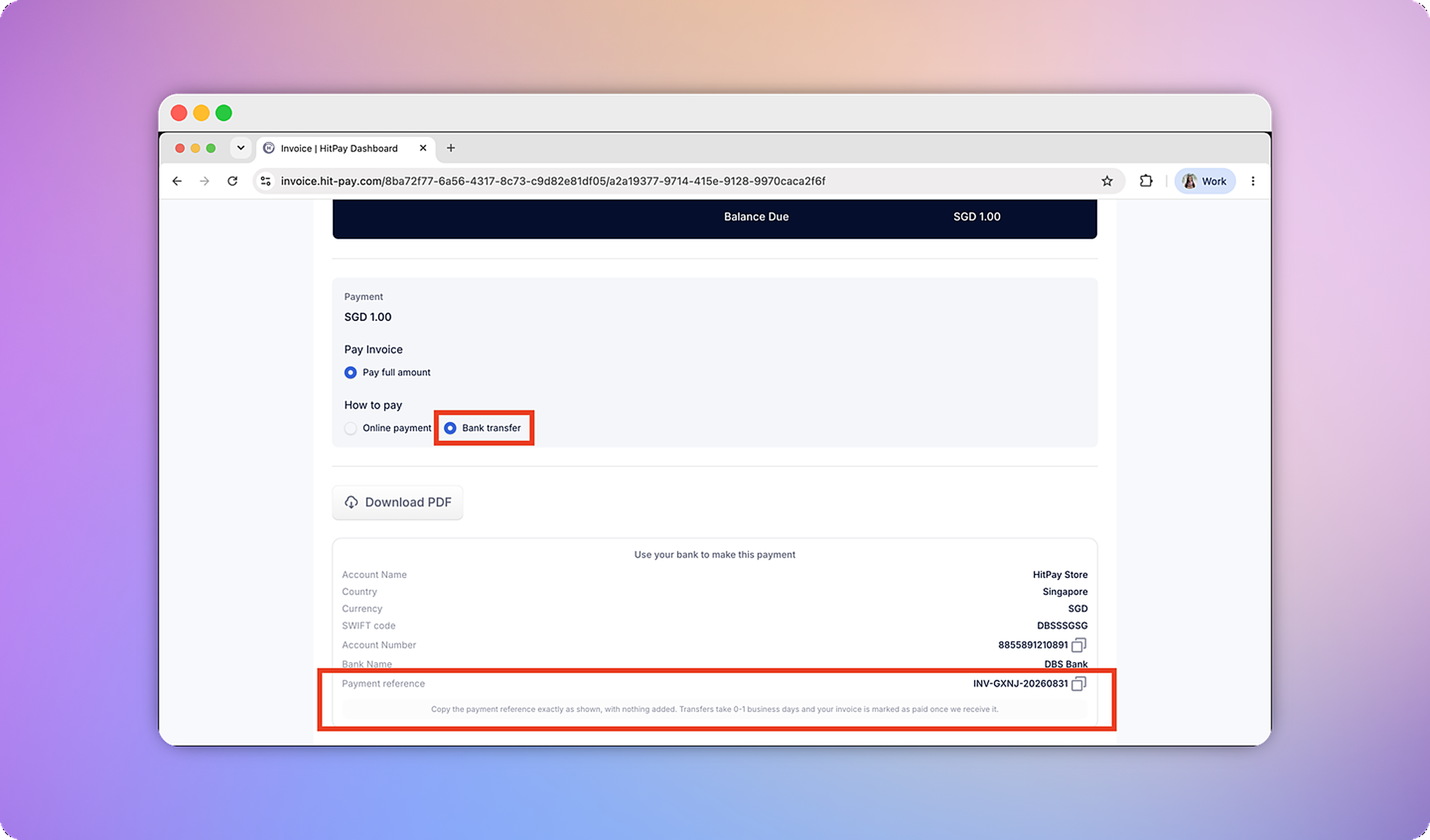
Account details and reconciliation
- The account number (and SWIFT/BIC, where applicable) is issued in the business’s registered name - not a shared or pooled account.
- Customer payments (cards, PayNow, GCash, QR, wallets) and business receivables settle into the same HitPay Wallet and appear in one transaction ledger, each entry tagged with sender, currency, amount, and fee.
- A single reconciliation export covers both transaction types.
- Every Virtual Account collection appears in Transactions with its own charge ID, showing the sender, amount, fee, and the Virtual Account it was received into.
- Singapore-registered entities can additionally sync transactions to Xero or QuickBooks.
Fund custody
Each currency balance is held with a regulated banking partner in your business’s own name - never pooled together with other merchants’ funds. In Singapore, HitPay Payment Solutions Pte. Ltd. is licensed as a Major Payment Institution (PS20200643) under the Payment Services Act. In the Philippines, HitPay Payment Solutions Inc. is a Registered Operator of a Payment System regulated by Bangko Sentral ng Pilipinas (BSP registration OPSCOR-2023-0006) and registered with the Anti-Money Laundering Council (AMLC registration PBSP-20230220903000068-5).Pricing
There are no monthly or setup fees in either market. You only pay per collection received.- Singapore
- Philippines
API integration
You can manage Virtual Accounts programmatically - create a Virtual Account, retrieve its details, or list existing accounts. See the VA (Virtual Account) API reference.FAQs
Which businesses are eligible?
Which businesses are eligible?
What currencies can a business receive, and which settle locally versus via SWIFT?
What currencies can a business receive, and which settle locally versus via SWIFT?
Will local GBP, EUR, and AUD receiving accounts be available for Singapore-registered entities?
Will local GBP, EUR, and AUD receiving accounts be available for Singapore-registered entities?
How does the PHP account work for Singapore businesses?
How does the PHP account work for Singapore businesses?
How does the PHP account work for Philippines businesses?
How does the PHP account work for Philippines businesses?
Does a business need to open a new account to use this?
Does a business need to open a new account to use this?
How are funds safeguarded?
How are funds safeguarded?
How is this different from HitPay Payouts?
How is this different from HitPay Payouts?
Is a Virtual Account a bank account I can hold funds in?
Is a Virtual Account a bank account I can hold funds in?
Can I close my Virtual Account?
Can I close my Virtual Account?
What documents are required to open a Virtual Account?
What documents are required to open a Virtual Account?